The Account Management screen lets you create and manage the user accounts of organizations and sub-organizations, view account activity, and configure organization and Single Sign-On (SSO) settings.
-
Select Account Management from the left menu of CommBox Edge Cloud Portal.
-
In the Organization field, select the organization or sub-organization. The organization of the logged-in user is selected by default, and the list contains all of its sub-organizations.
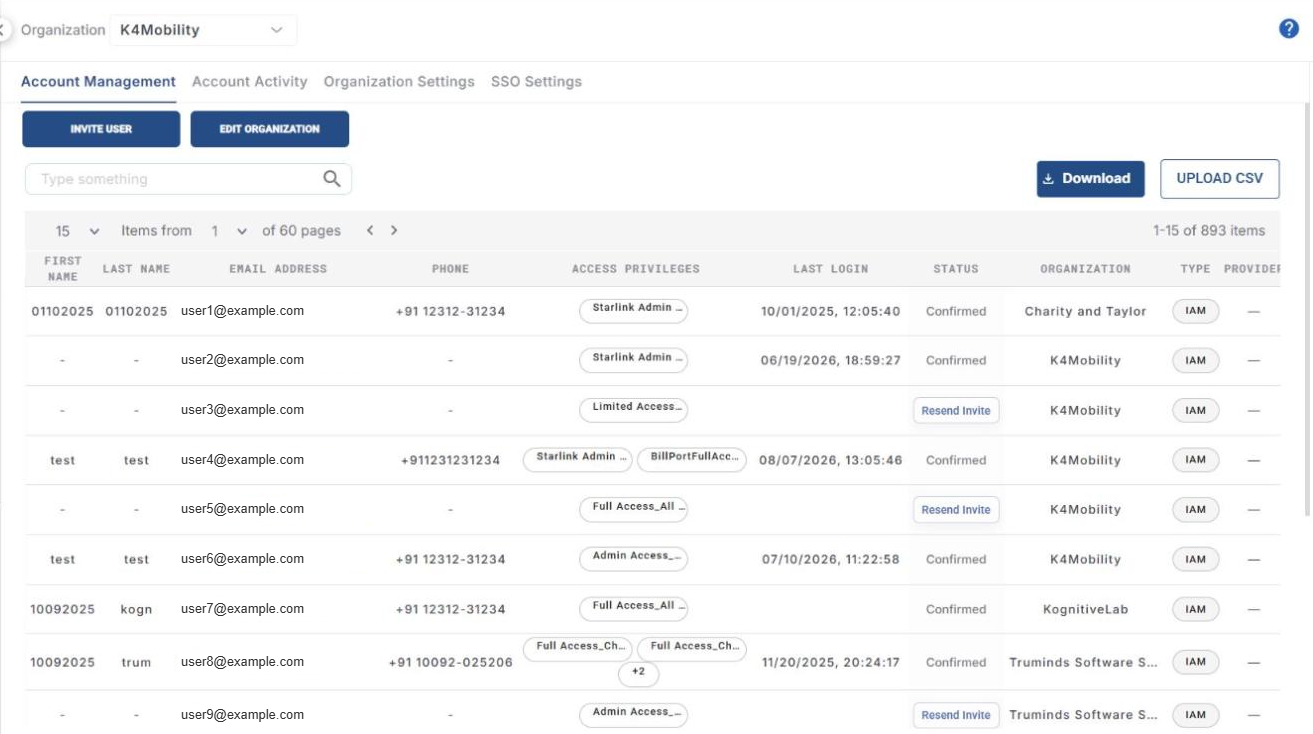
The Account Management screen has the following tabs:
-
Account Management – invite users and manage their accounts and access privileges.
-
Account Activity – view the login and other activities of the user accounts.
-
Organization Settings – configure settings for the selected organization.
-
SSO Settings – configure Single Sign-On with Okta or Azure AD.
The following pages explain each tab in detail: