
Release Notes of 8.1.0
Feature / Enhancements
-
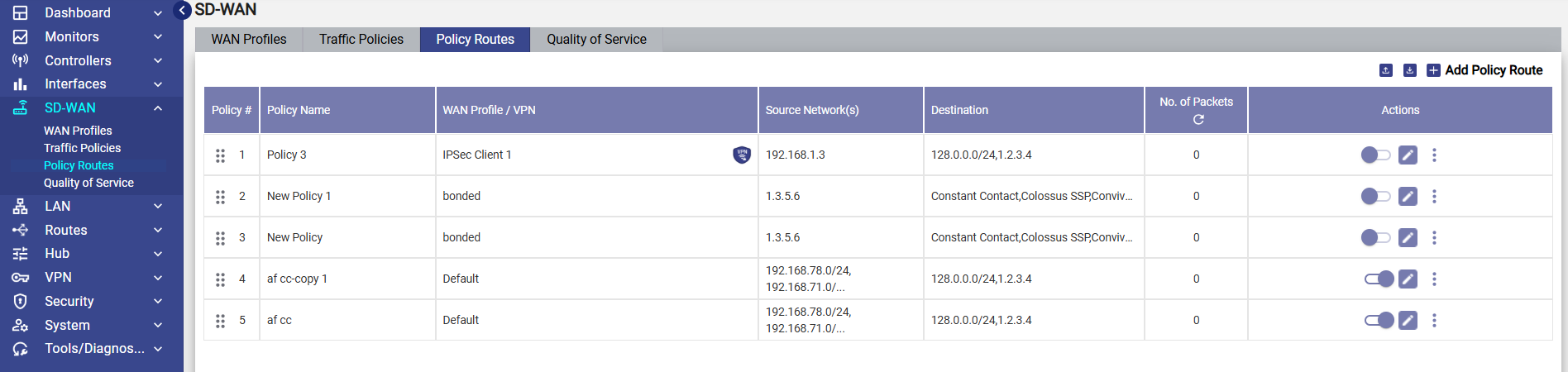
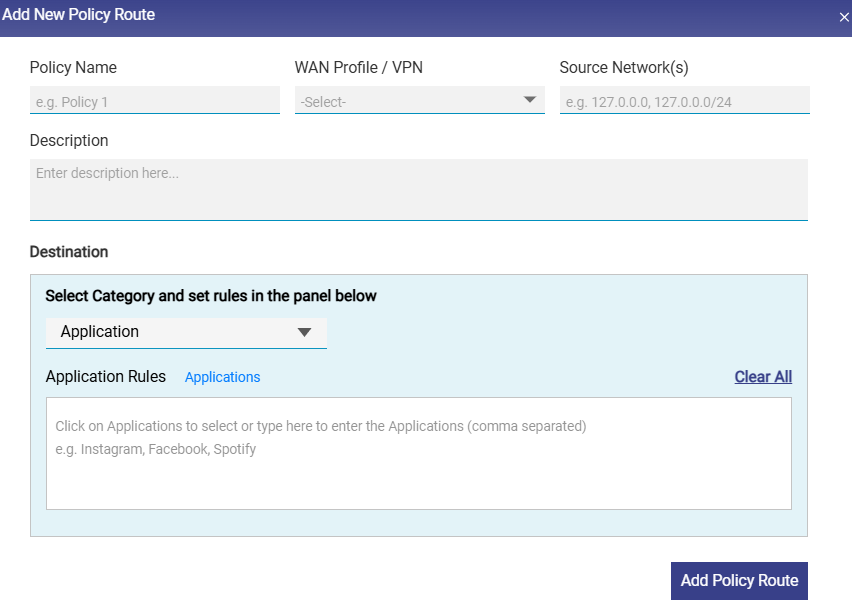
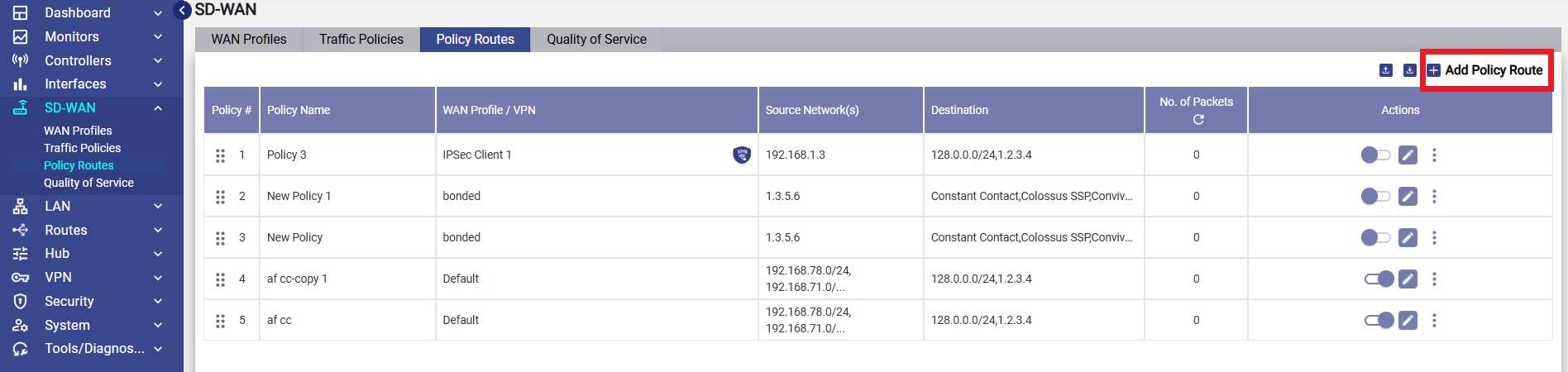
Policy Routing or Application Routing - Assign SD-WAN profiles per destination (IP, domain, application, or protocol) instead of only per network or device. This enables fine-grained traffic steering, allowing selected access-network traffic to route natively or through tunnels on the same WAN interface, with centralized policy management and bulk configuration upload support.
-
Note - With Policy Routing, Advanced Bonding, Hub Drop off configuration per WAN interface, and VPN configuration per access network are now consolidated into a single, unified workflow.
-
Please use the following link to refer to the Policy Routes online help - Policy Routes
-
-
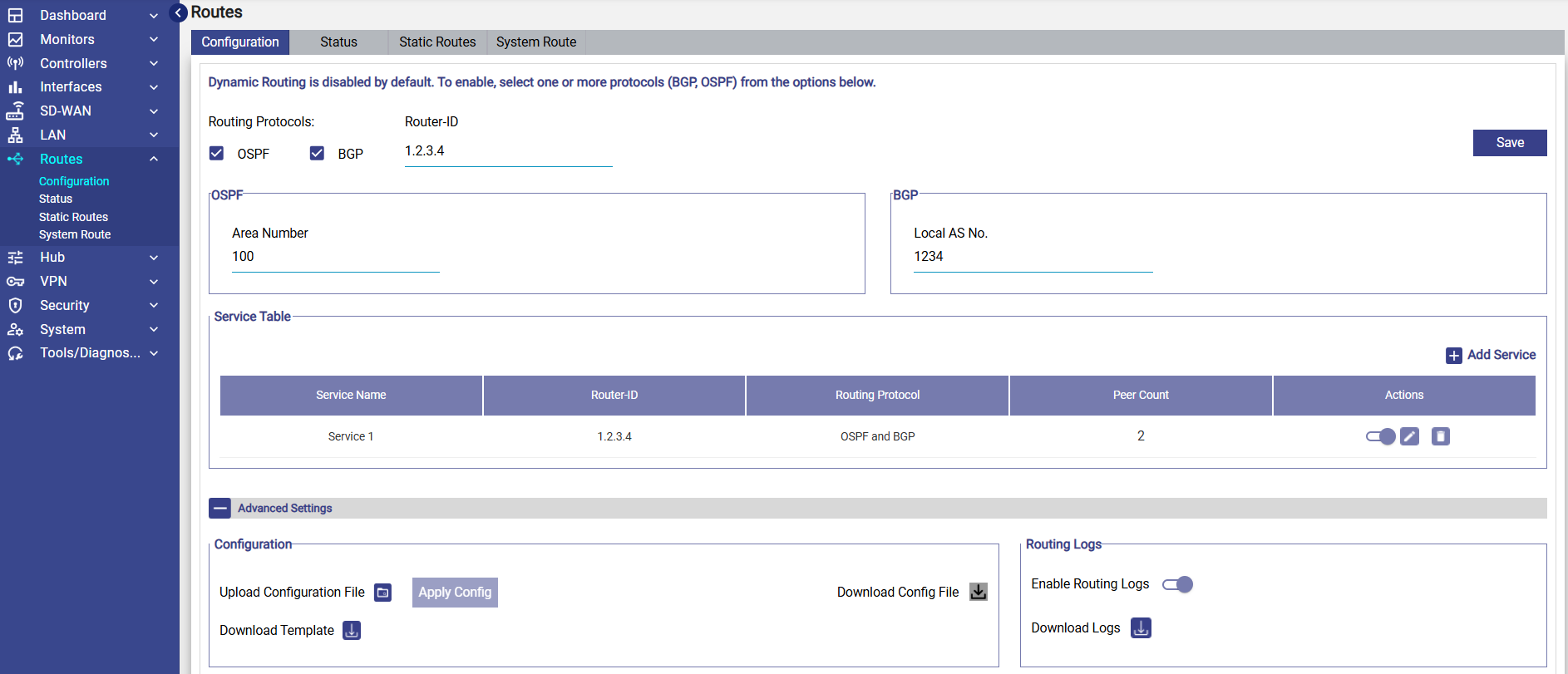
Dynamic Routing - BGP/OSPF (Phase1) - Introduces Dynamic Routing support using OSPF or BGP, enabling SD-WAN devices to automatically advertise the connected and/or Hub network routes.
-
Please use the following link to refer to the Dynamic Routing online help - Dynamic Routing
-
-
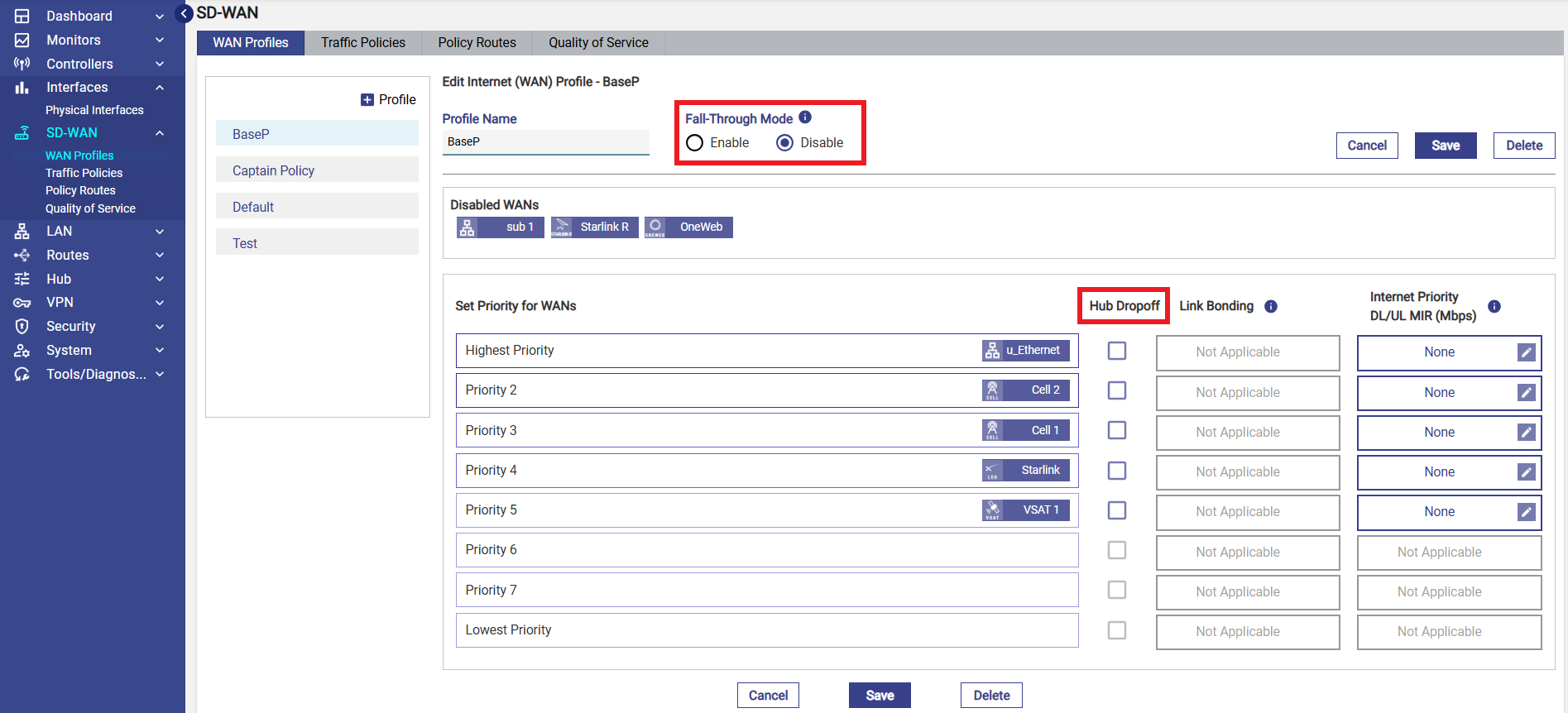
Split Tunnel with Hub - The WAN Profiles screen has been enhanced to support Split Tunnel with Hub, including Fall-through mode for native traffic routing when the tunnel is unavailable, and Hub Dropoff to enable or disable routing traffic through a Hub on a per-WAN-interface basis.
-
Please use the following link to access the WAN Profiles online help - WAN Profiles.
-
-
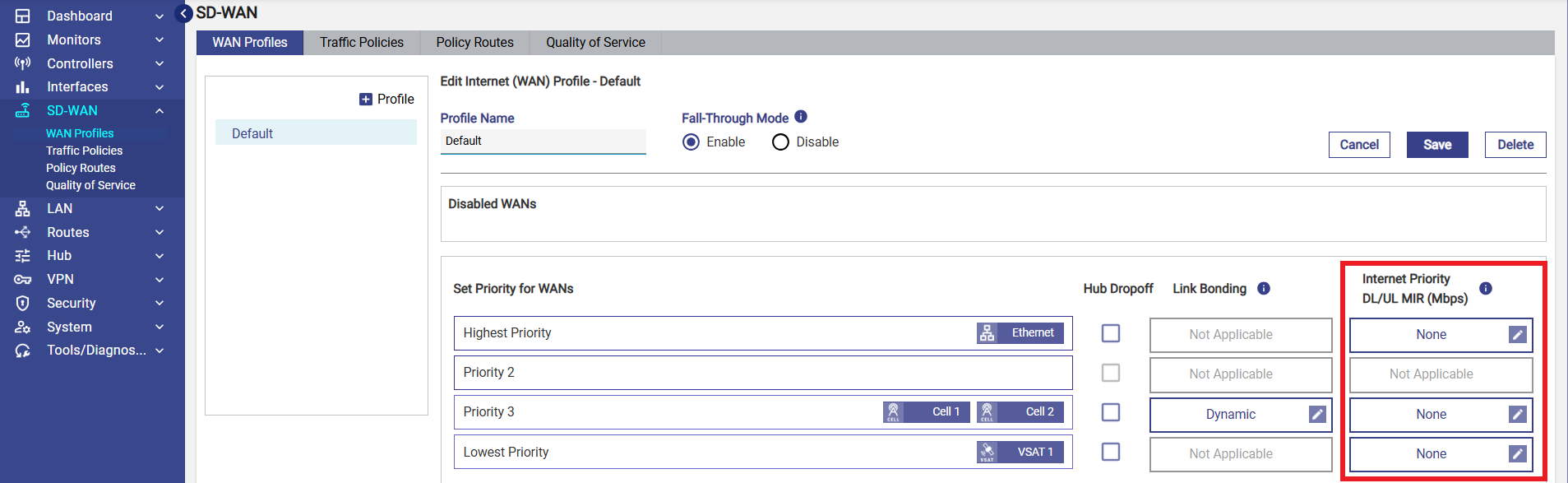
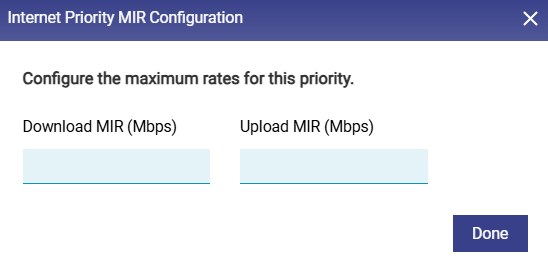
QOS – WAN Profile update - This release adds support for Minimum Information Rate (MIR) configuration per WAN interface as part of the WAN profile. Traffic sharing the same WAN profile— across access networks, devices, or applications — is now handled using priority-based queue discipline.
-
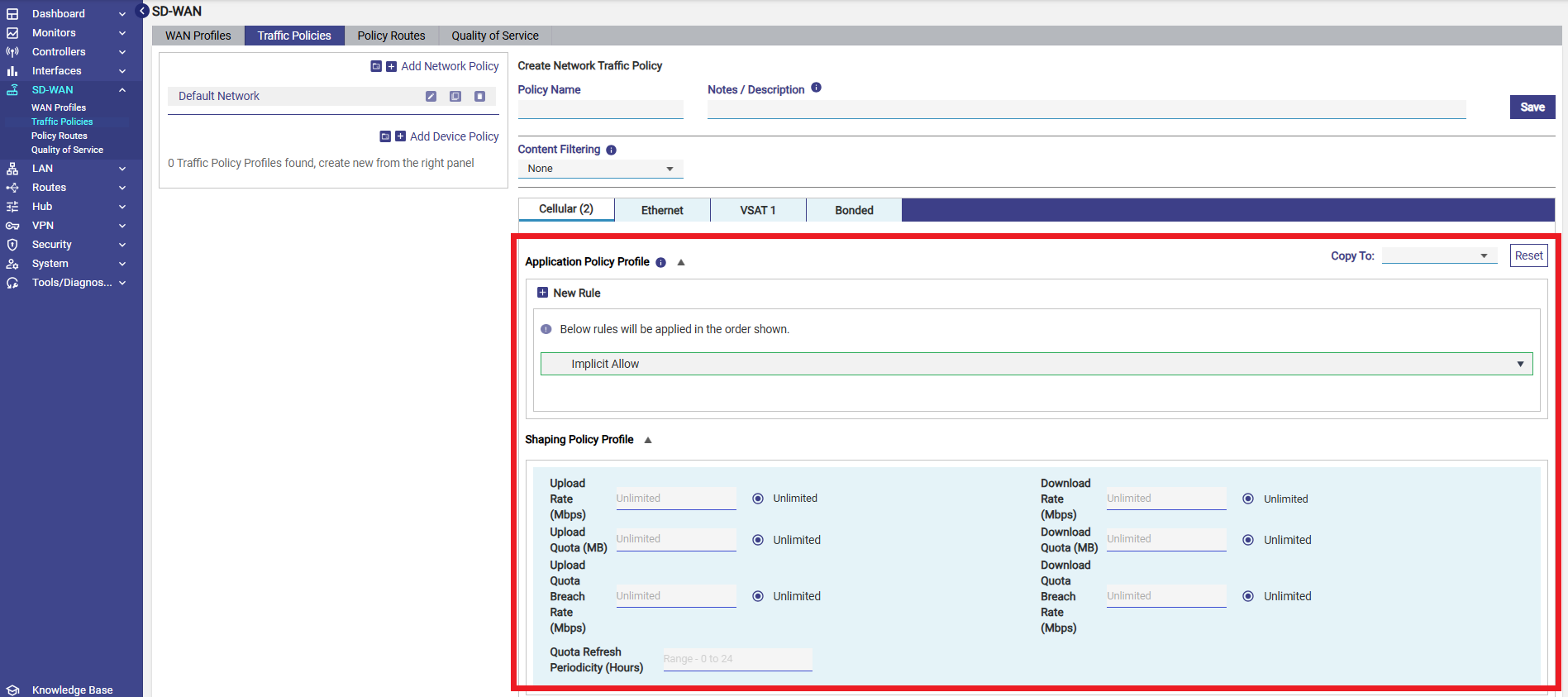
The Traffic Policy screen has been updated to reorder sections, with Application Policy Profile now displayed above Shaping Policy Profile for improved configuration flow.
-
Config Save/Restore Across CommBox Edge 6 and CommBox Edge Pro - Configuration backups can now be restored across CommBox Edge 6 and CommBox Edge Pro hardware platforms, enabling seamless migration between these devices despite being different product types.
-
Performance Optimizations - This release includes multiple optimizations across the system, including multi-threaded and multi-queue data path enhancements and adaptive analytics sampling for high user device counts. The system now automatically scales based on available resources while maintaining performance.
-
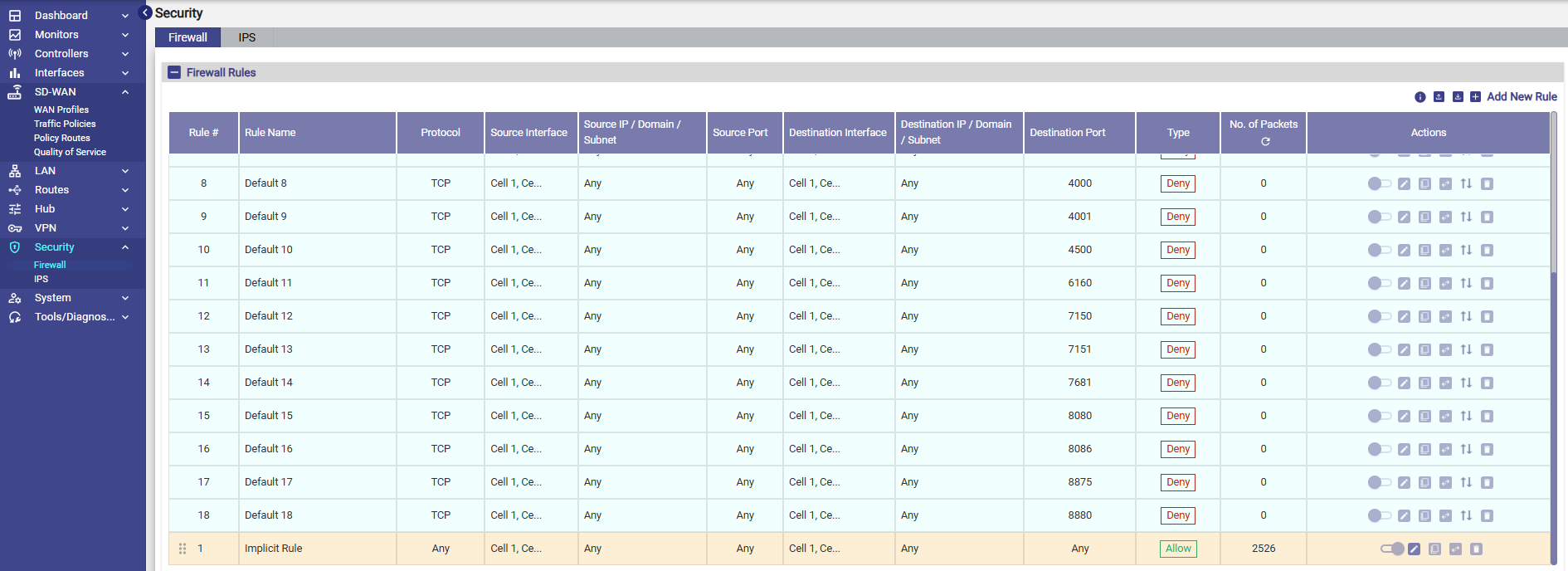
Firewall Screen Enhancements - The Firewall screen now includes an Implicit Rule with support only for Allow and Deny actions, along with Default Rules for faster setup. A drag-and-drop control has also been added to easily set rule priority.
-
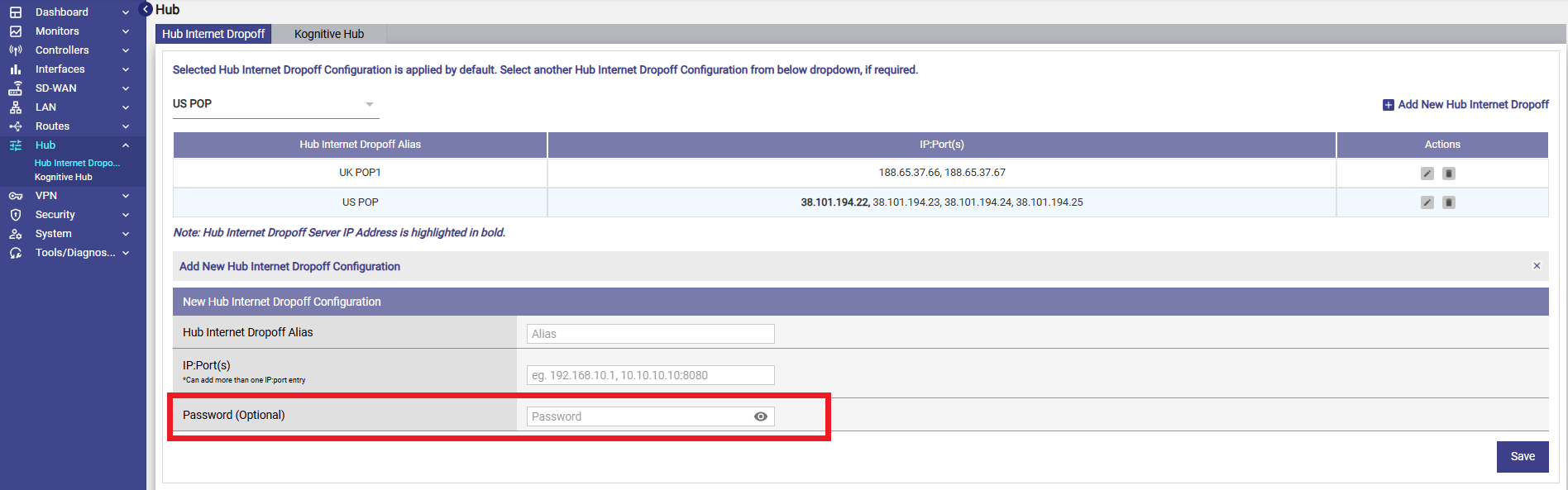
MPK Password configuration for the client - Added support for optional password configuration for MPK clients, enabling secure access when connecting to private hubs.
Changes from Previous Version
-
Advanced Bonding and Hub Drop-off configuration options have been removed from the Interface screen and are now managed through the WAN Profiles screen, with Hub Drop-off controlled per WAN link. In addition, Fall-through mode has been introduced as a new capability.
-
Access network traffic routing through WireGuard/IPsec tunnels has been removed from the Access Networks screen and is now configured through Policy Routing.
-20260203-144718.png?cb=e55d598955db2c60f039685023de66a3)
-
Internet Priority identification is retained, while MIR configuration is now handled as a separate configuration.
Bug Fixes
-
Correction for IPSec configuration save – IPSec configuration was not saved when the configuration mode was set to IKEv1 or IKEv2.
-
Correction for link bouncing on VX – Link-up triggers were not sent from the host machine to the VM, causing link bounce issues; WAN monitoring logic has been enhanced to handle VM interfaces.
-
Correction for VOIP codec configuration – Codec G.721 has been removed from the UI as it is not supported by Asterisk.
-
Default LAN network alignment across hardware – Default LAN network has been standardized to 192.168.230.1/24 across all hardware platforms.
-
Ignore captive devices during Config Restore – Captive device information from the source device was retained during configuration restore and is now ignored.
-
VOIP / Asterisk service monitoring improvement – Asterisk registration is now periodically verified with the carrier and automatically restarted if not registered.